vise LoV-MAP · value harmonisation
Map values once. Reuse them across every site and wave.
Payment terms, account groups, countries, currencies, plants, storage locations, chart of accounts: mapped by the business users who know them, validated for dependencies, approved once, and applied everywhere — in the migration and in daily operations after it.
- 1 catalogue
- for migration and BAU
- Multi-key
- plant + storage location, customer + sales area
- Production
- at a global brewing group
01 · Where a spreadsheet breaks
Value mapping sounds simple. It is where programmes lose months.
Every transformation starts with a promise to clean up master data. Weeks later, finance and master-data teams are harmonising chart of accounts, cost centres, materials, plants and customers in spreadsheets, by e-mail, across several systems. With several waves, operating companies or targets, it stops being manageable.
- 01Seven versions of the file“Mapping_final_v7_corrected_NEW(2).xlsx” — and nobody is sure which one the load used.
- 02Conflicting mappingsOne legacy cost centre assigned to two different targets, in two tabs.
- 03No dependency checksStorage locations mapped without checking their plant; sales areas mapped field by field.
- 04Rules hidden in e-mailThe exceptions live in a thread from March, not in the mapping.
- 05Nothing reusableEvery wave, every operating company, every target starts from zero.
02 · One source of truth
A central catalogue, reused across targets, versioned and approved.
03 · Value by value
Every source value gets a target value — or an explicit decision that it does not.
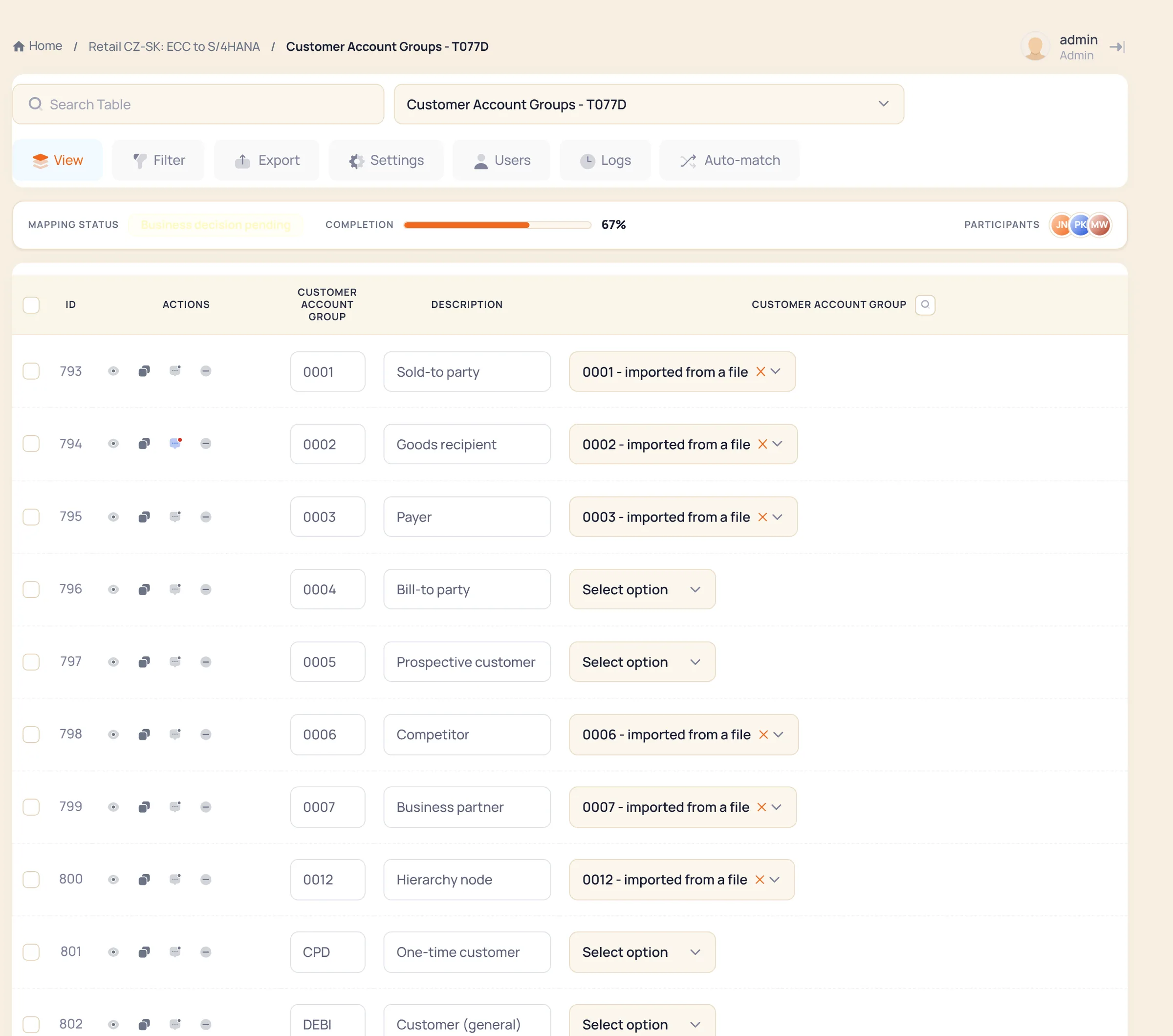
Customer account groups, countries, payment terms: the business user sees the source code, its description and a pick-list of target values. Values that arrived from the source extract are marked as such; what is still open is a number, not a feeling. The table carries its decision — carry over 1:1, harmonised in the target, business decision pending — and its completion.
Request, approve, reuse
New tables are requested and approved — not emailed around.
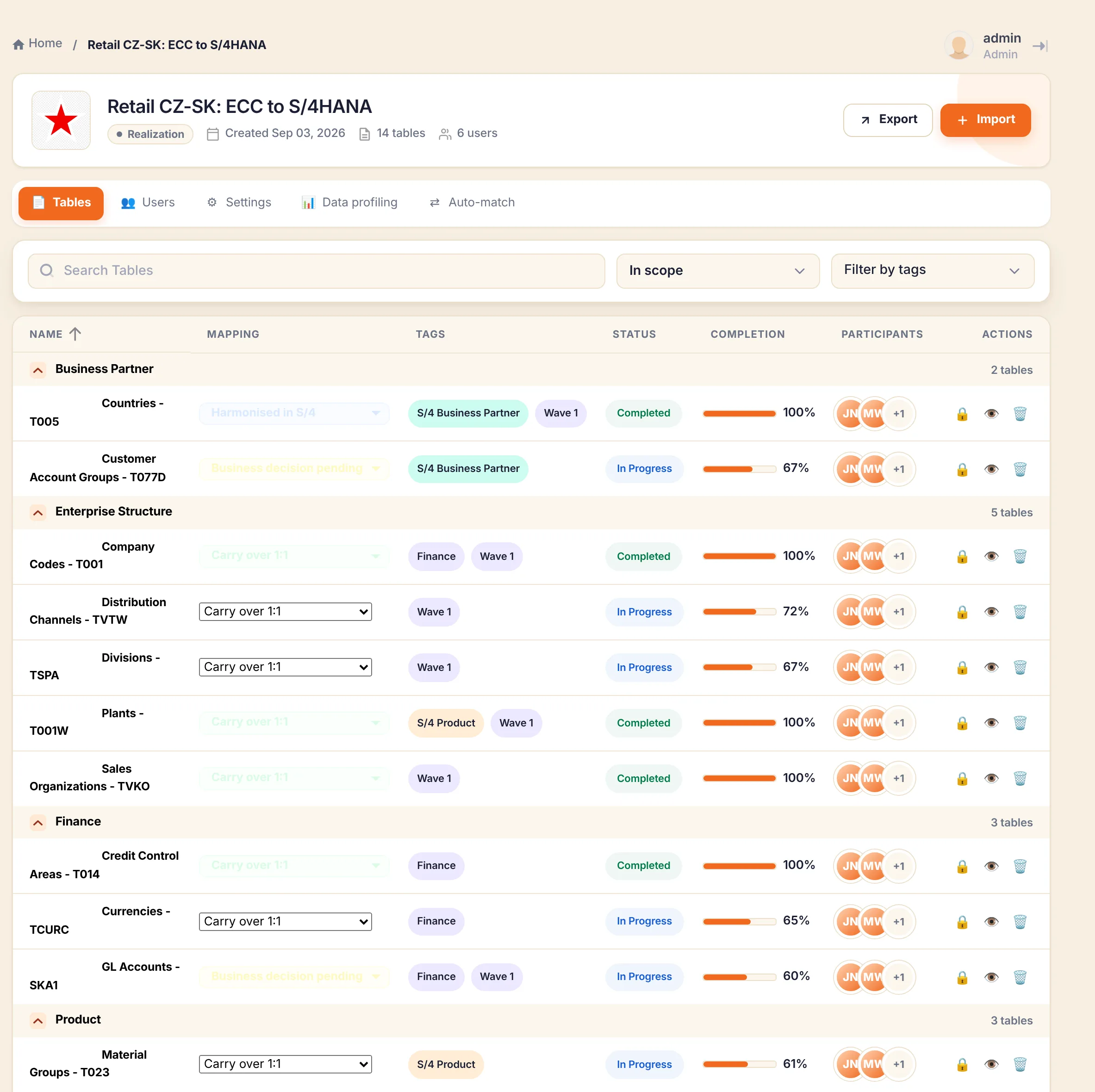
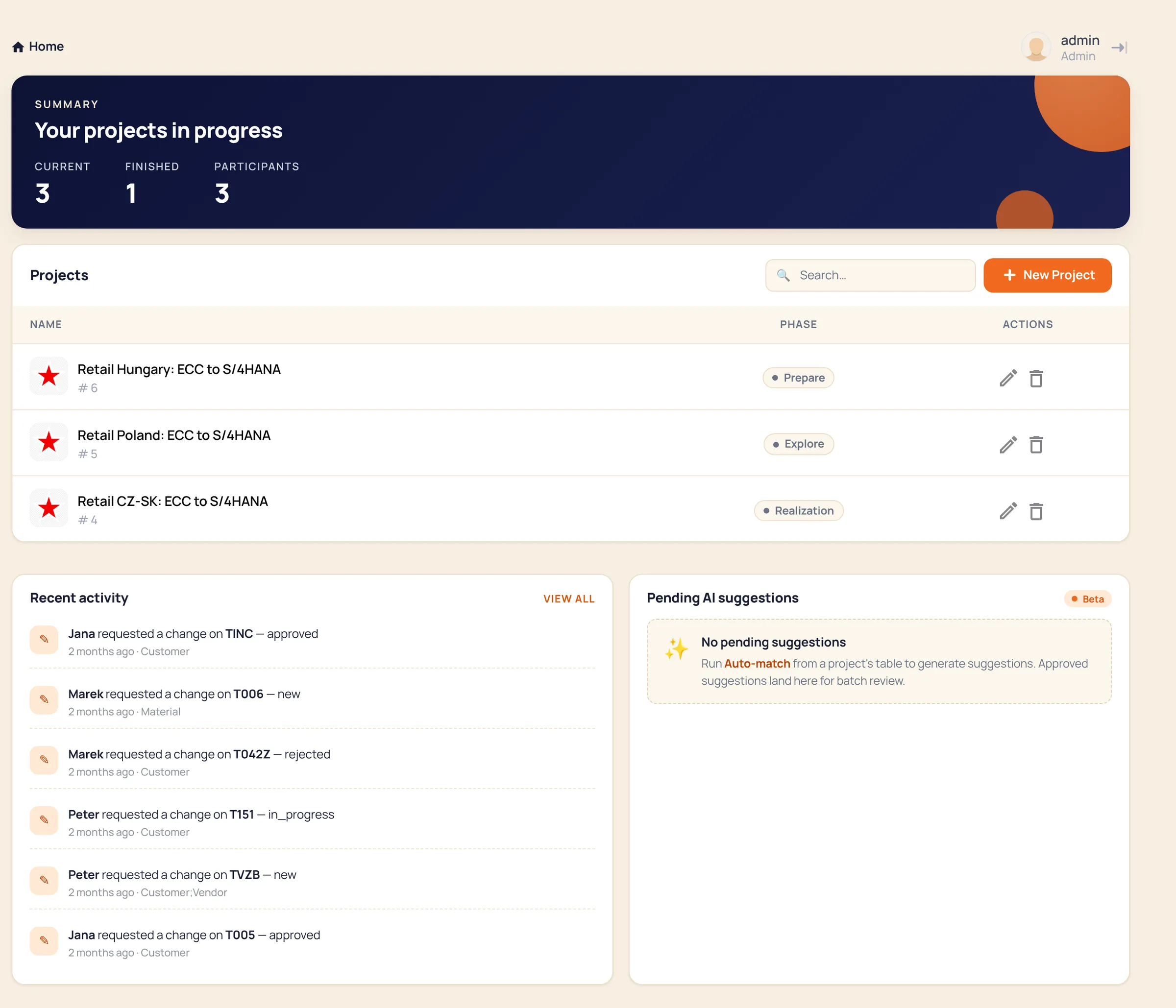
A business user requests a value table for an object; an administrator approves it; the table joins the project with its owners and tags. Auto-match proposes target values from the catalogue; the proposals wait in one review queue and nothing is applied until an owner approves it. Every change has a requester, an approver and a date.
04 · Multi-key
Single-key vs multi-key: where a spreadsheet stops being safe.
A spreadsheet can hold a composite key. It cannot enforce one across twenty tabs and six owners. The classic failure: storage locations mapped without checking their plant — wrong stock levels, failed postings and emergency corrections during cut-over. LoV-MAP models the mapping as a multi-key relationship and refuses to save a combination that does not exist in the target value lists held in the catalogue — the lists loaded from the target system, not a guess.
| Mapping | Key combination | Why Excel fails |
|---|---|---|
| Storage location → plant | (plant, storage location) → (new plant, new storage location) | Dependency ignored in a single column |
| Customer + sales area | composite key: customer, sales org, distribution channel, division | All fields must map together |
| Material + plant | different logic per plant | Single-column logic breaks |
05 · Approved once, applied everywhere
Where the approved values go — and what customers use them for.
The catalogue is the decision; the load tool is yours. Values leave LoV-MAP in whichever form the next step needs.
- ERP and S/4HANA migrations
- Reusable mappings across waves and operating companies, with target-specific logic and validity periods — instead of rebuilding the same dictionary per rollout.
- BAU master-data governance
- One catalogue maintained daily by the master-data team, feeding vise Data Run and validation rules after go-live.
- Reporting and analytics
- Consistent mappings across ERP, BW, planning and analytics so reports reconcile across sources.
06 · Two audiences
Business maps the values. IT keeps the pipes.
- Excel-like interface and bulk updates
- Clear ownership of each object and its values
- Proposal-and-approval workflow
- A changed payment-term mapping needs no IT ticket; IT keeps integrations and reference-data loads
- Clean export to vise DMW, vise Data Run or BODS
- Exports and sync for BAU automation
- Strict validation that protects SAP from bad values
- Versioned, auditable, reusable across waves
07 · FAQ
Questions we get.
- 01Does it work without vise DMW?
- Yes. LoV-MAP is the Value Map step of vise DMW and also runs standalone next to SAP BODS, Migration Cockpit or any ETL. Mappings export cleanly to the load tool you use; an API serves BAU automation.
- 02What do we need to start?
- Your current mapping files — Excel, CSV or an export from the old tool — and one owner per object who can decide. We load them into LoV-MAP, run the validation and show you what it catches before the next wave. Fixed-price consulting; no licence fee for the proof of concept.
- 03Multi-key mappings?
- Native. A mapping can depend on a combination of keys — plant and storage location, customer and sales area — and the tool validates that the dependency and the target combination exist before the mapping can be saved.
- 04What happens when a mapping changes after export?
- Every change is versioned and the export carries the version it came from. When vise DMW is the consumer, the sync compares value by value and raises a conflict instead of overwriting silently. When BODS or another ETL is the consumer, LoV-MAP cannot see what that tool holds — the control is a version check before each load: the version in the file against the current catalogue version, with the change history showing what was approved in between.
- 05Global standard, local exception — how is the conflict resolved?
- Scope is explicit: a Global list applies to every site in the programme; a Local list belongs to one site (or the sites sharing a template). Where both exist, Local replaces Global for that site — either-or, never a silent merge — and the exception is visible as its own table with its own owner.
- 06What drives the cost?
- Sites and user accounts — the more sites, the lower the price per site. The proof of concept is fixed-price consulting with no licence fee; production is a per-project licence sized by the sites and accounts in scope, with the same catalogue carried into the next wave. Import of your existing files is part of the first wave’s set-up — the effort depends on how many tables and how consistent they are, which the PoC tells you.
Send us your mapping file.
Excel, CSV or an export. We show you the same file in LoV-MAP with full validation applied — the conflicts, the missing dependencies, the values with no decision — and what it would catch before your next wave. Your side: the file and one owner per object.